만약 로그에 Vector를 출력하고 싶다면 어떻게 해야하는가?
이를 위한 FString이 있다
	FString MyString = "MyStringValue";

	UE_LOG(LogTemp, Display, TEXT("Test String = %s"), *MyString);
이렇게 FString을 만든 뒤, 이를 포인터로 가져와주면 작동한다
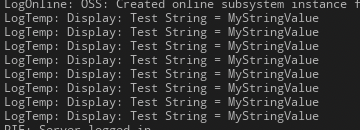
문제 없음을 확인할 수 있다
이때 %s는 string을 기대하는데
FString은 string이 아닌, 객체이다. 그렇기에 직접적으로 들어갈 수 없고, 내부 string을 줘야 하기에 *로 호출해야 한다
FORCEINLINE const TCHAR* operator*() const
{
    return Data;
}
FString 내부에는 이러한 연산자 오버로딩이 되어 있어서, string을 가져올 수 있는것이다
	FString Name = GetName();

	UE_LOG(LogTemp, Display, TEXT("ActorName = %s"), *Name);
이렇게 Actor의 이름을 알 수도 있다
	if (DistanceMoved > MoveDistance)
	{
		FString Name = GetName();
		float OverValue = DistanceMoved - MoveDistance;
		UE_LOG(LogTemp, Display, TEXT("%s => OverValue = %f"), *Name, OverValue);
		FVector MovedDirection = PlatformVelocity.GetSafeNormal();
		StartLocation = StartLocation + MovedDirection * MoveDistance;
		SetActorLocation(StartLocation);
		PlatformVelocity *= -1;
	}
이렇게 다중으로 형식 지정자를 넣는것도 가능하다
'기타 > 정보 기록용' 카테고리의 다른 글
| VScode에서 C# 컴파일러 사용법 (0) | 2025.06.28 |
|---|
